NSK Engineering Tool User Manual
Table of Contents
- A. Introduction & Basic Operations
- B. Products (Online Catalog)
- C. Inquiries for Selected Products (Only available when linked from a distributor site)
- D. Engineering Tools
- D-1. Technical Calculation Tool
- D-2. Cross-Reference Tool: For Members
- E. Technical Documents & Downloads
- F. User Account Management
- G. Troubleshooting & FAQ
A. Introduction & Basic Operations
Site Overview and Key Features
What is the NSK Engineering Tool?
The NSK Engineering Tool (https://www.oss.nsk.com) is an online product selection and technical support site provided by NSK. It offers a one-stop service that allows designers, engineers, and procurement staff to efficiently handle everything from product selection to technical calculations and inquiries to distributors.
Top Page Overview
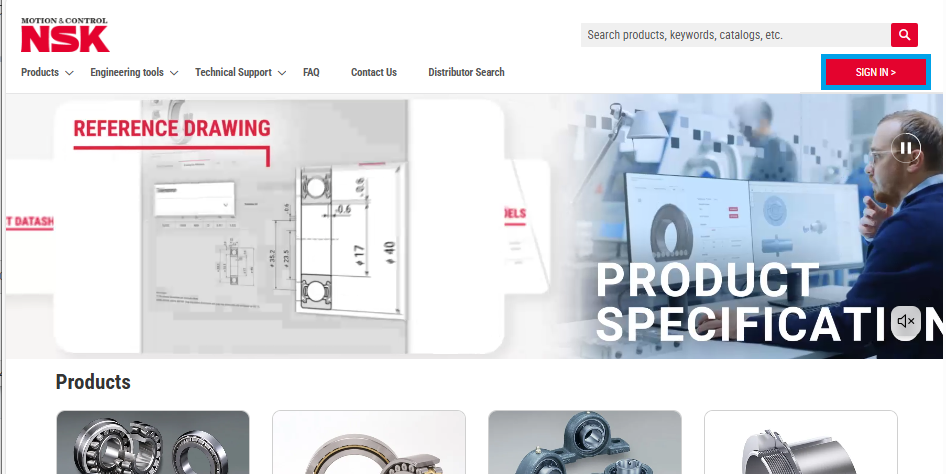
This screen shows the overall view of the NSK Engineering Tool's top page. The header contains the logo, main menu, search bar, and login button.

Target Users
Designers/Engineers
Optimal bearing selection based on product specifications
Performance verification and design support through technical calculations
Procurement Staff
Product information acquisition and quotation requests
Overview Map of Key Features
1. Products (Online Catalog)
- Search by product category
- Filtering function by product type
- Product specifications / Drawing for Reference / CAD / Technical calculations
- Product comparison function
2. Engineering Tools
- Bearing technical calculation tool
- Cross-reference tool
- NSK linear guide design tool
- Ball screw design tool
3. Technical Documents & Downloads
- Product information / Specification PDF
- Drawing for Reference PDF
- CAD data (3D/2D)
4. User Support (For Members)
- Account management
- History management (technical calculation conditions)
- Inquiries to distributors
Basic Navigation
Main Menu and Search Bar
This screen shows the layout of the main menu, search bar, and key features. Access points for each function are clearly indicated.
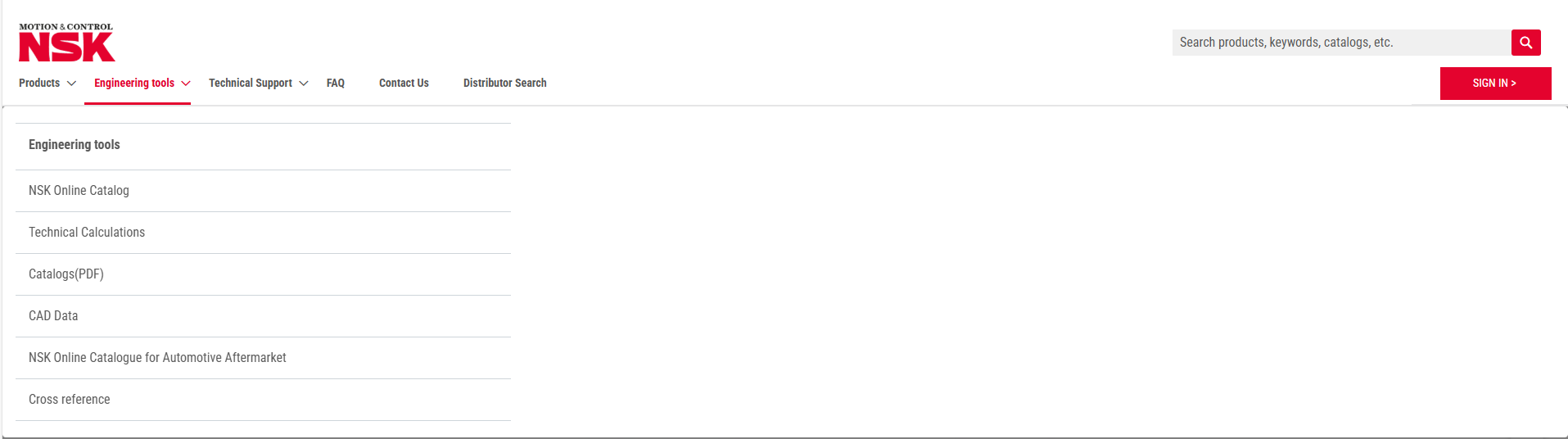
Main Menu Description
- Product Information: List by product category
- Engineering Tools: NSK online catalog, technical calculations, catalogs (PDF), CAD data, cross-reference tool
- Technical Support: Bearing information app NSK Verify, NSK Academy, ABCs of Bearings, Bearing Doctor (bearing damage and countermeasures)
- Frequently Asked Questions
- Contact Us: Various inquiries, technical support
B. Products (Online Catalog)
Product Search
Products can be searched for by "1. Selecting the product classification and type from the Product Information menu" and "2. Entering the part number or model number into the search box."
1. Product Information Menu
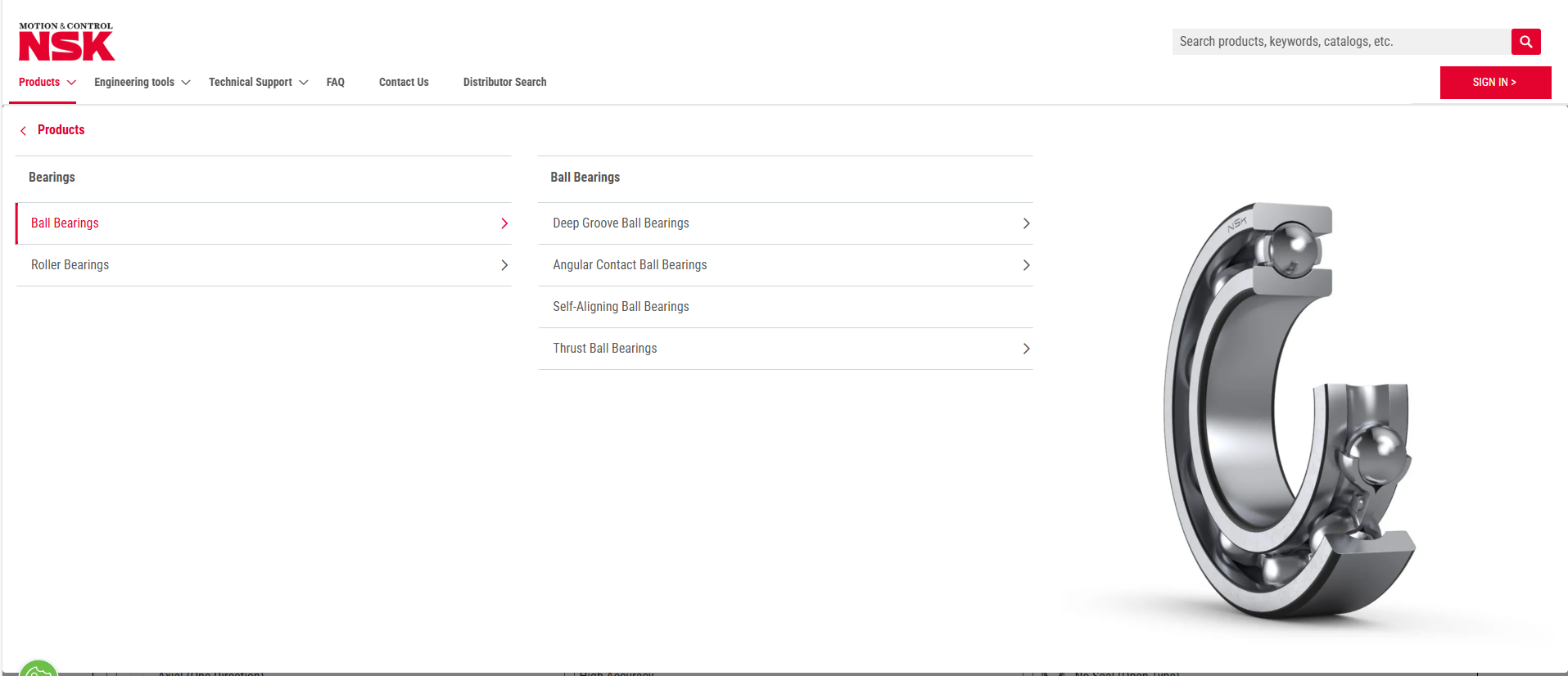
By expanding the product information tree, you can select a product category, as if you were opening a paper catalog.
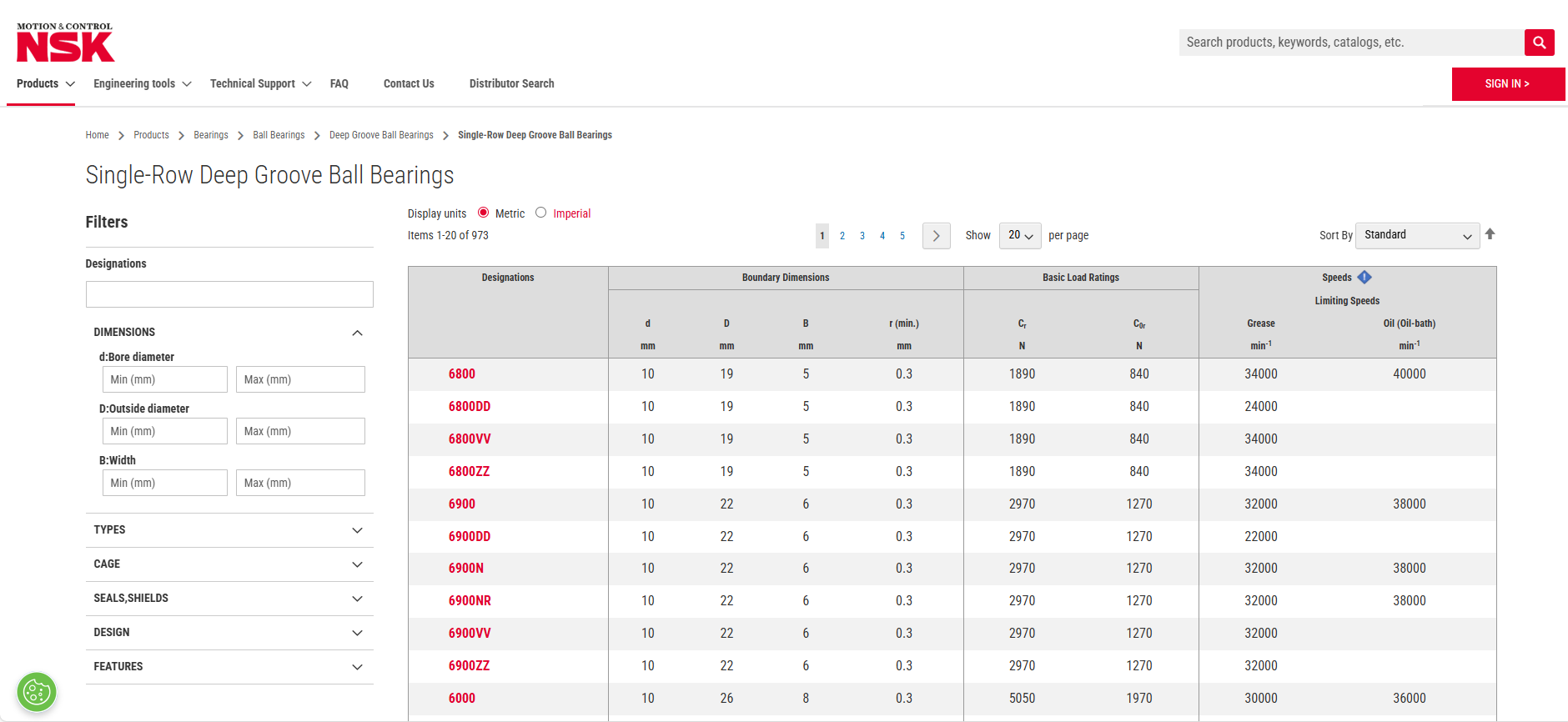
Example) Products > Bearings > Ball Bearings > Deep Groove Ball Bearings > Single-Row Deep Groove Ball Bearings
In addition to filtering by part number and dimensions, you can also select product specifications (such as seals and shields).
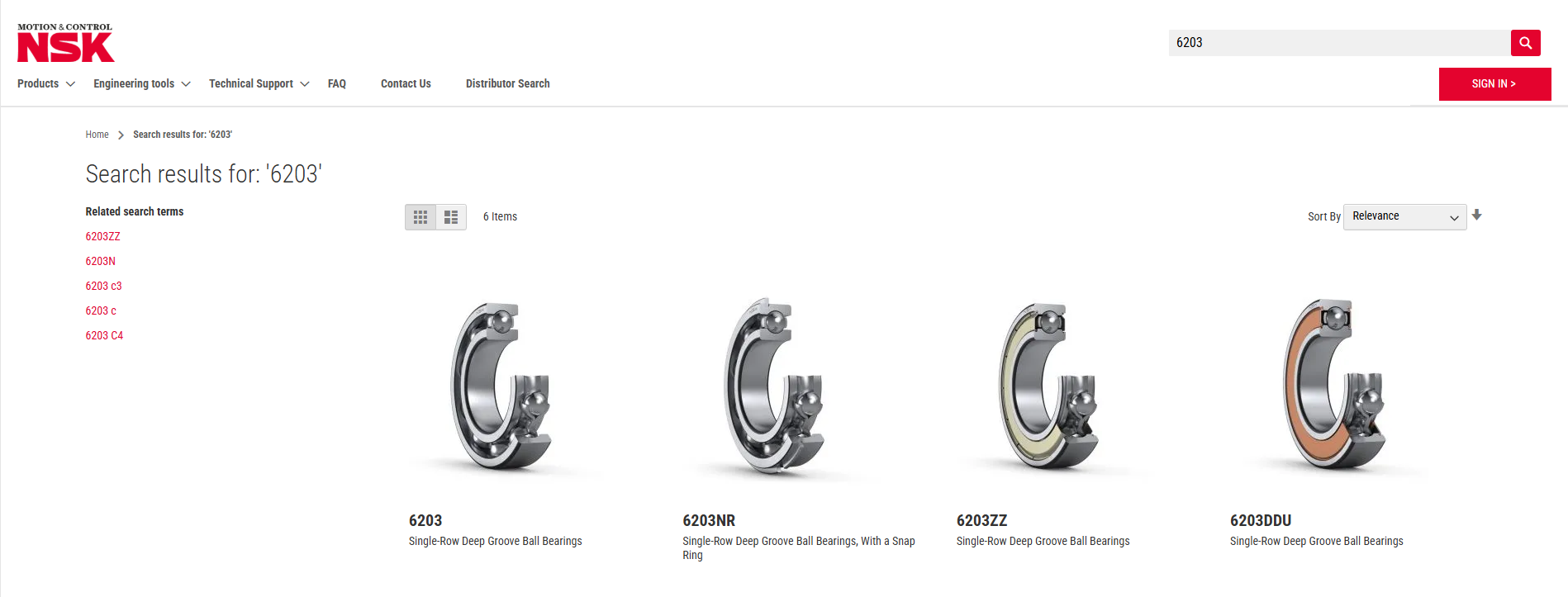
2. Search Box
If the product (part number) is already known, enter it in the box at the top right of the page. Products (part numbers) containing the entered symbols will be displayed.
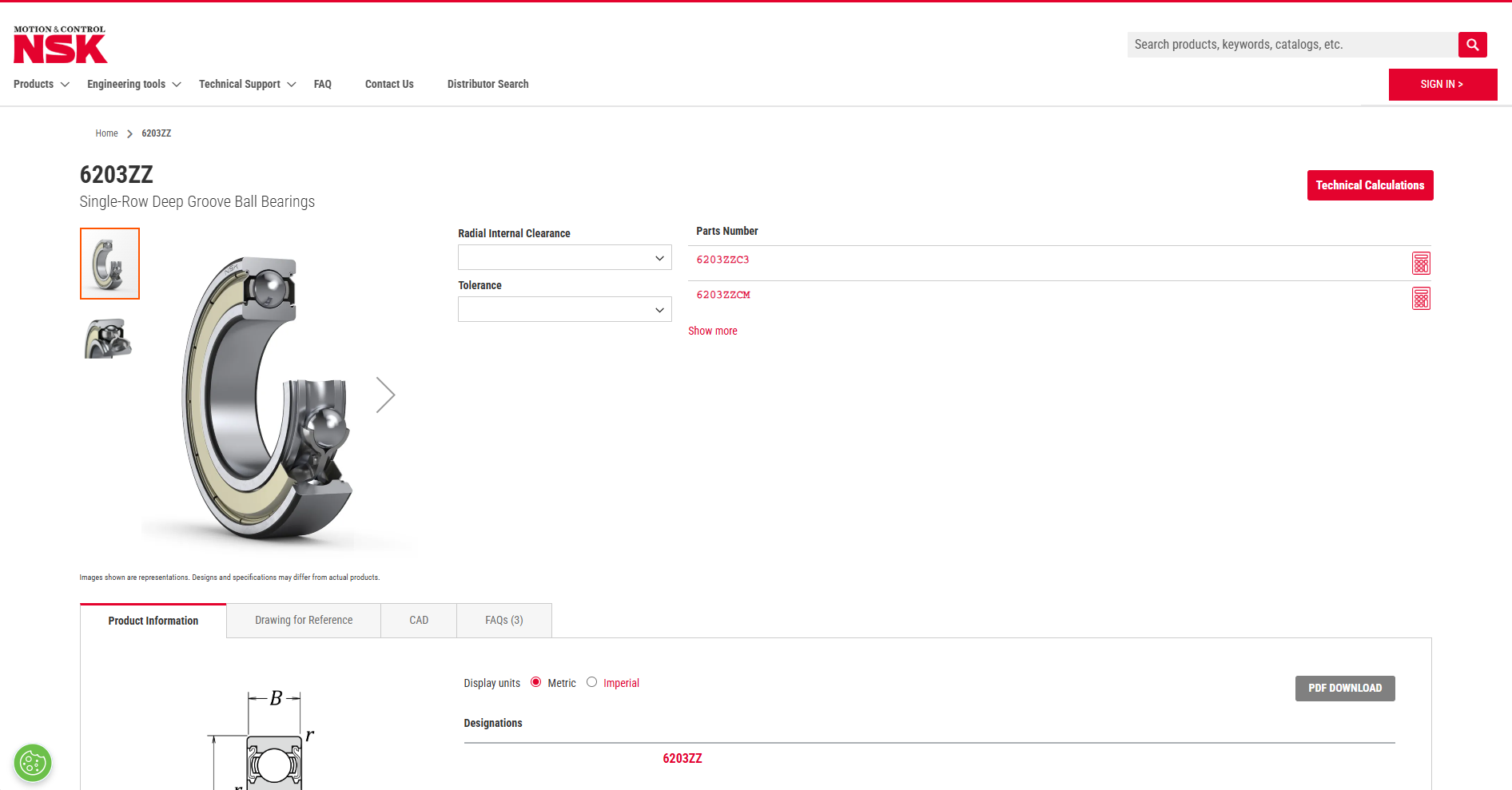
Product Detail Page
On this page, you can check the dimensions and specifications of the selected product, and download Drawing for Reference and CAD data.
C. Inquiries for Selected Products (Only available when linked from a distributor site)
Inquiry Flow
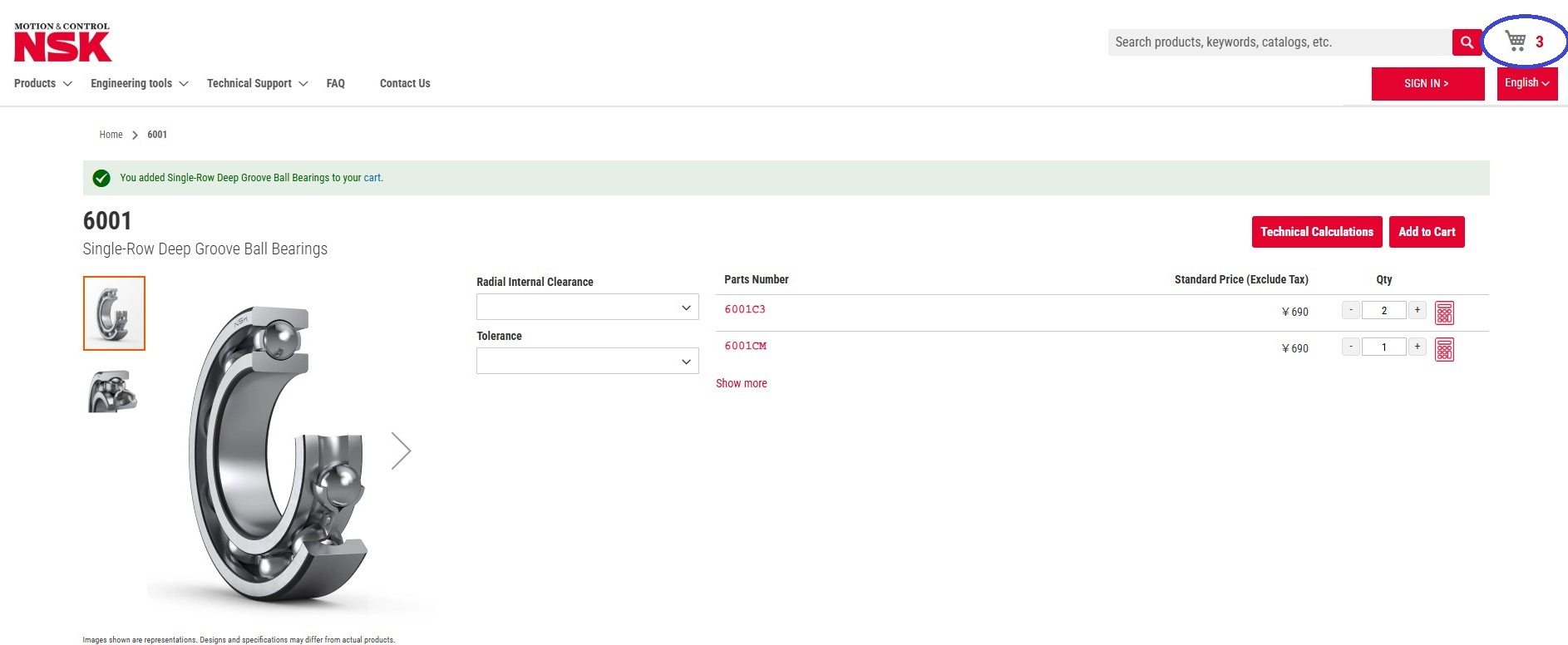
Adding Products to Cart
On the selected product detail page, enter the required quantity and click the "**Add to Cart**" button on the right. The quantity will be added to the cart icon at the top right of the screen.
Checking and Editing Cart Contents
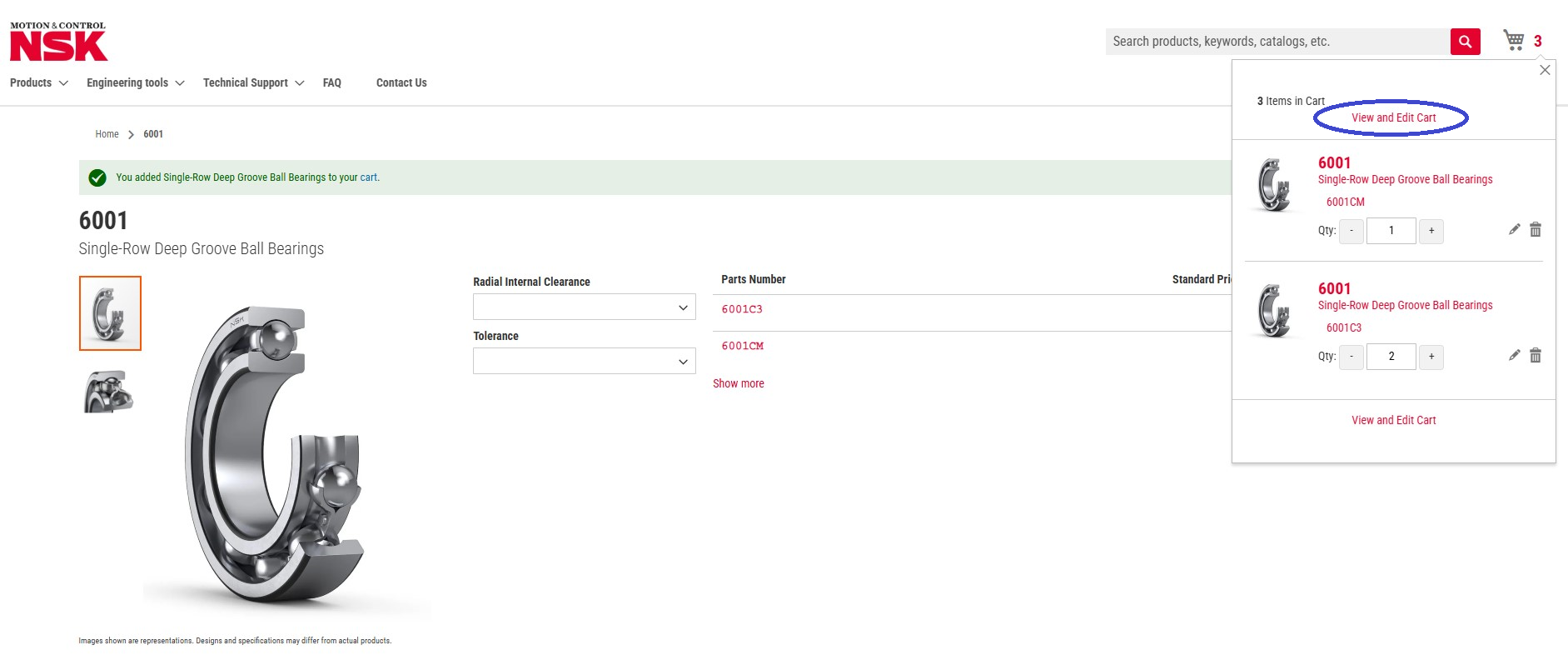
- Click the **cart icon** at the top right of the screen.
- On the pop-up screen that appears, click "**Edit Cart**" to go to the cart editing screen.
Cart Editing and Inquiry
On the cart editing screen, you can change the quantity and delete products. There is also a comment field where you can enter the inquiry details and the sales office you wish to handle the request.
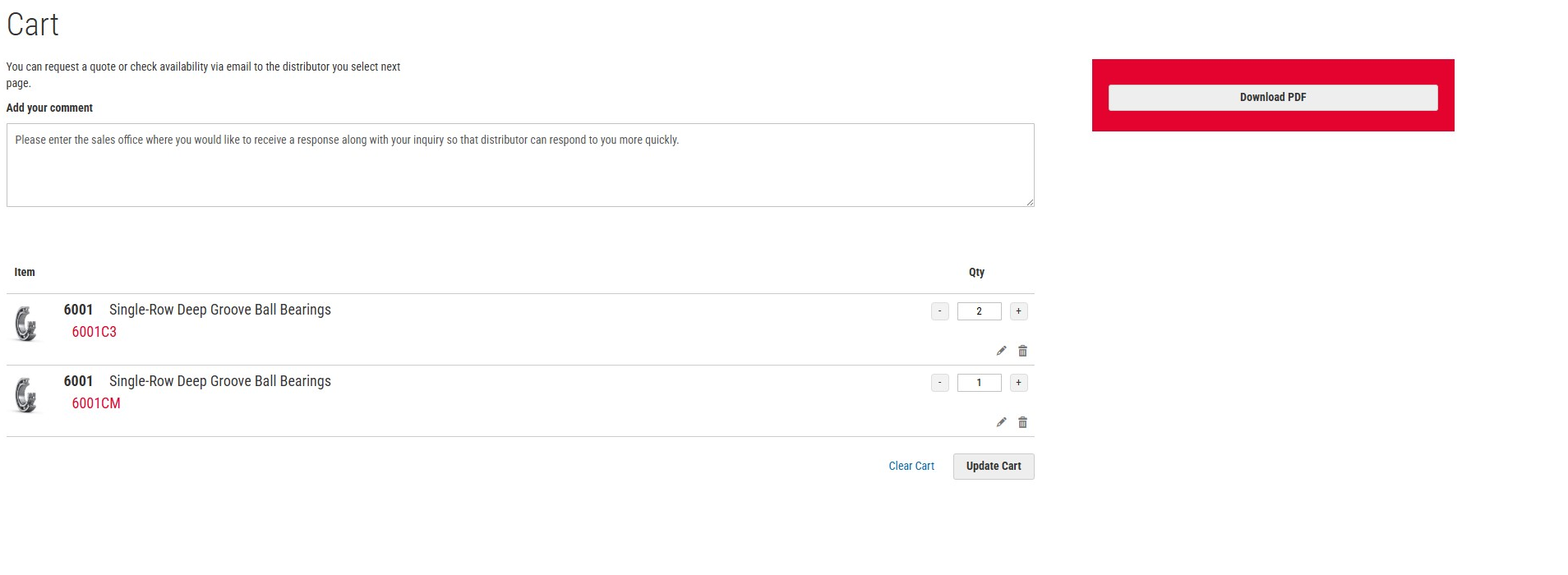
PDF Download
Click the "**PDF Download**" button to download a PDF file of the product list registered in your cart. This PDF contains the selected product information and quantities.
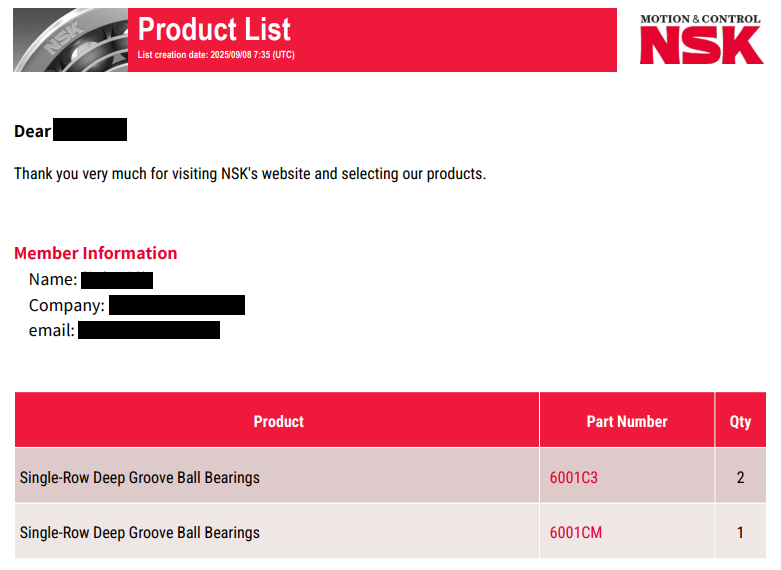
Steps to Inquire with a Distributor
- Click the "**Inquire with a Distributor**" button to display a screen where you can search by country or distributor name and select the distributor you wish to contact.
- The selected distributor's information, the products in your cart, and the comments you entered will be displayed.
- After confirming the content, click the **Send** button to transmit the inquiry to the selected distributor.


D. Engineering Tools
D-1. Technical Calculation Tool
Accessing the Technical Calculation Tool
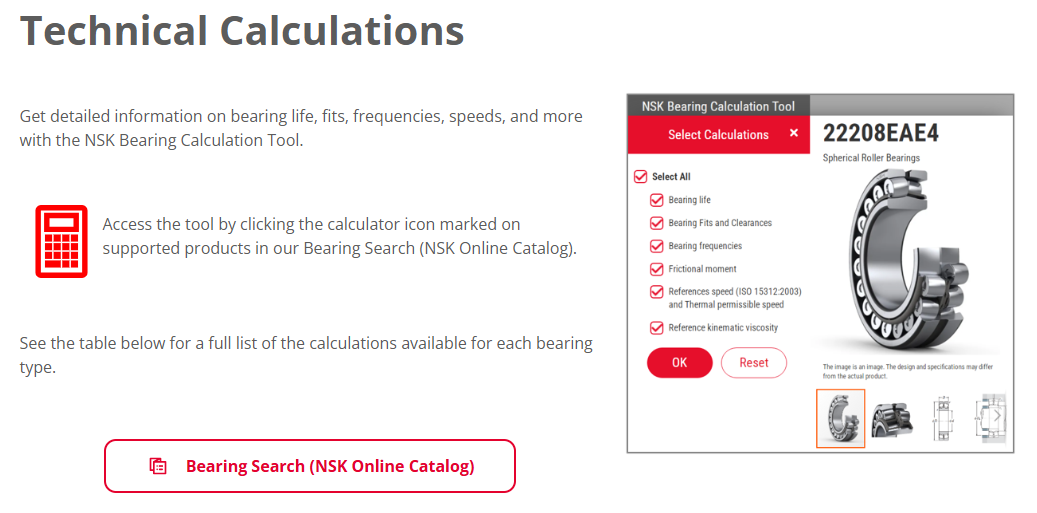
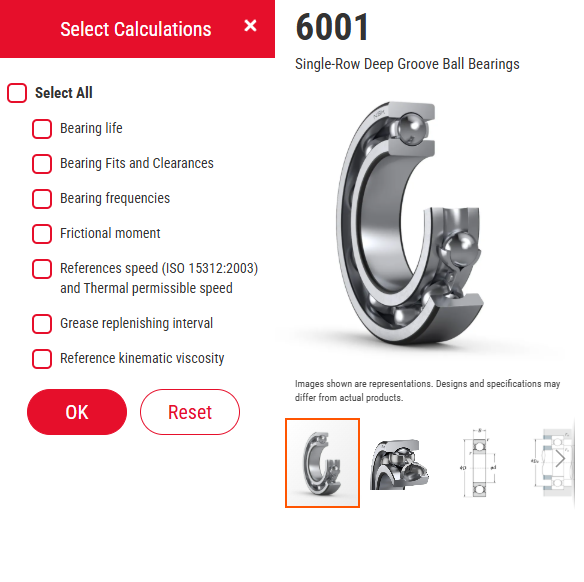
Calculation Menu Selection
This screen allows you to select the calculation menu you want to run or check. You can perform calculations for service life, fits and clearances, frequencies, and more, all at once.
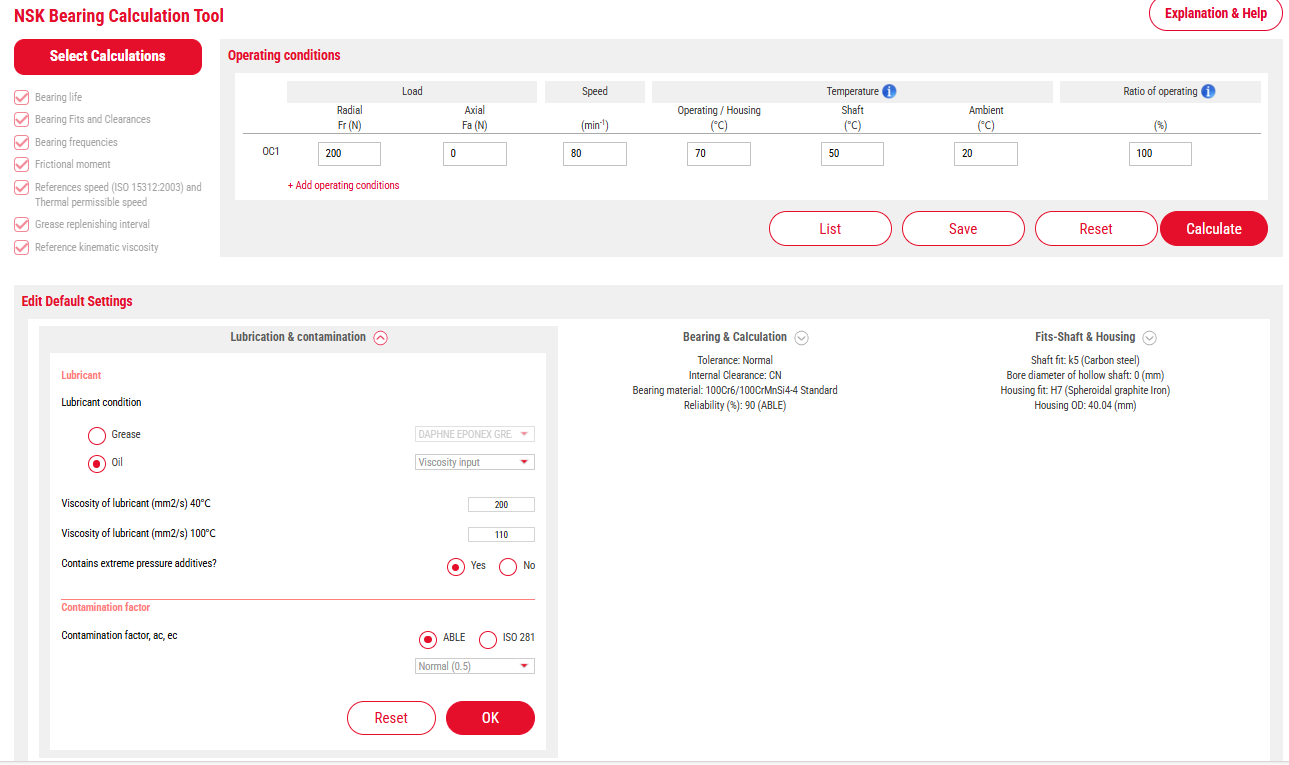
Setting Operating Conditions and Parameters
Enter the calculation conditions required for technical calculations, such as operating conditions (load, speed, temperature) and parameter settings (lubricant and contamination level, bearing specifications and calculation conditions, shaft and housing fits).
※The input screen for parameters will be displayed by clicking the menu.
Checking Calculation Results
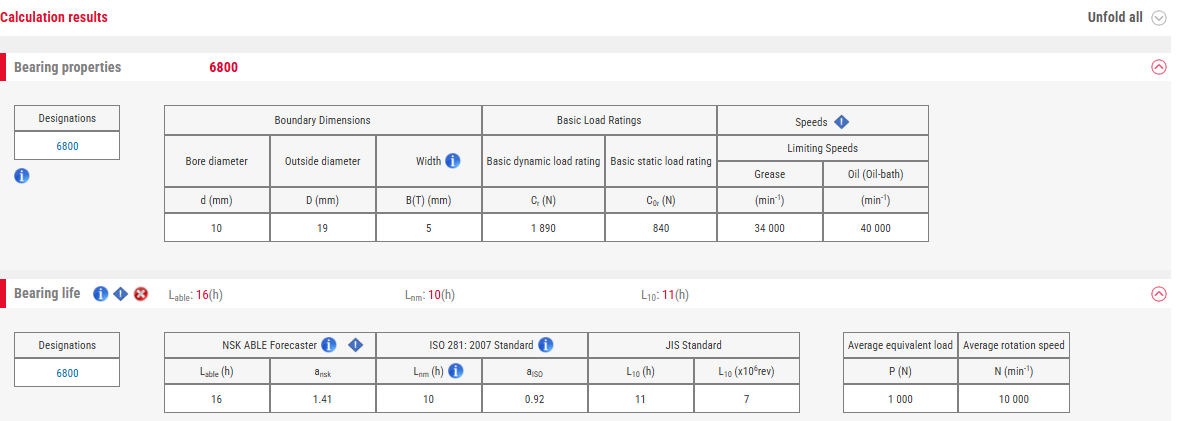
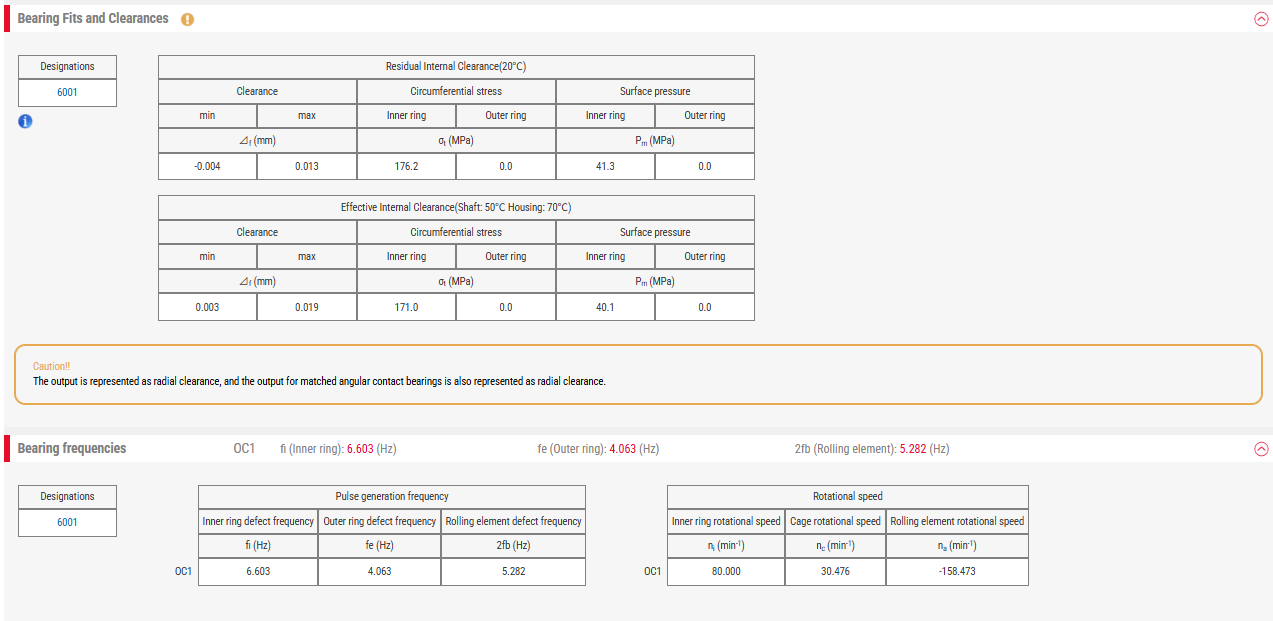
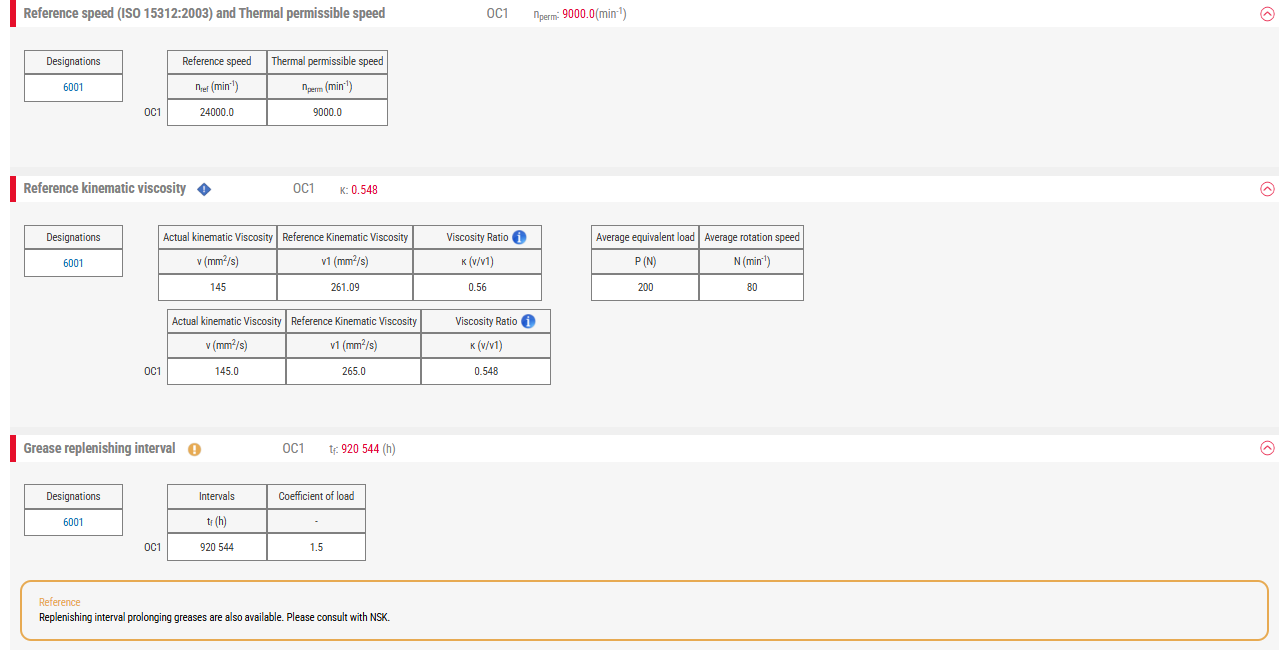
You can check the calculation results for the selected calculation menu. By clicking the arrow ↓ icon below, you can also view detailed results.
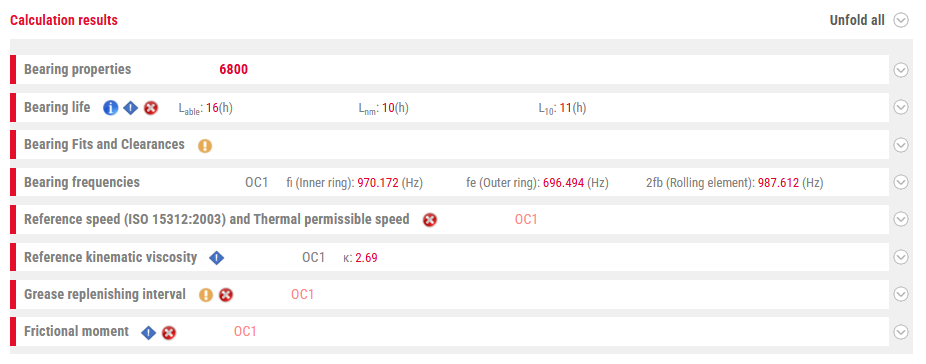
Displaying Detailed Results (Example)

Technical Calculation Tool: For Members
Saving and Sharing Calculation Conditions
This function allows you to save calculation conditions for each usage condition, such as machine type or model. By issuing an ID, members can share calculation conditions and results with each other.
※If the video does not close, press the ESC key on your keyboard.
D-2. Cross-Reference Tool: For Members
Overview of the Cross-Reference Tool
The NSK Cross-Reference Tool is a tool that allows you to replace a part number from a non-NSK product with an NSK product part number. It enables efficient consideration of substitutions from other companies' products to NSK products.
Usage Conditions
To use the cross-reference tool, you must be a registered member.
If you are not yet registered, please create an account before use.
※If the video does not close, press the ESC key on your keyboard.
Important Notes
- The information and data displayed by this tool do not guarantee 100% compatibility.
- NSK is not responsible for any damages arising from the use of this tool.
- The displayed search results should be considered for reference only.
- Please note that this tool does not cover all product part numbers.
How to Use the Cross-Reference Tool
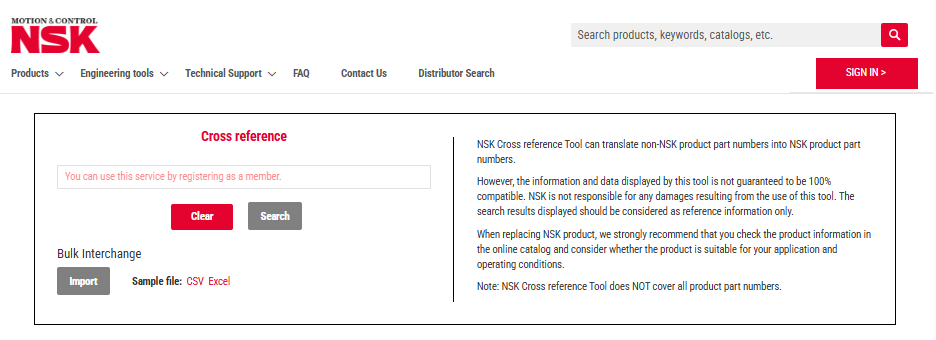
1. Entering the bearing number on the search screen
Enter a competitor's part number and run the search. You can also search for multiple cross-references at once by uploading a CSV file.
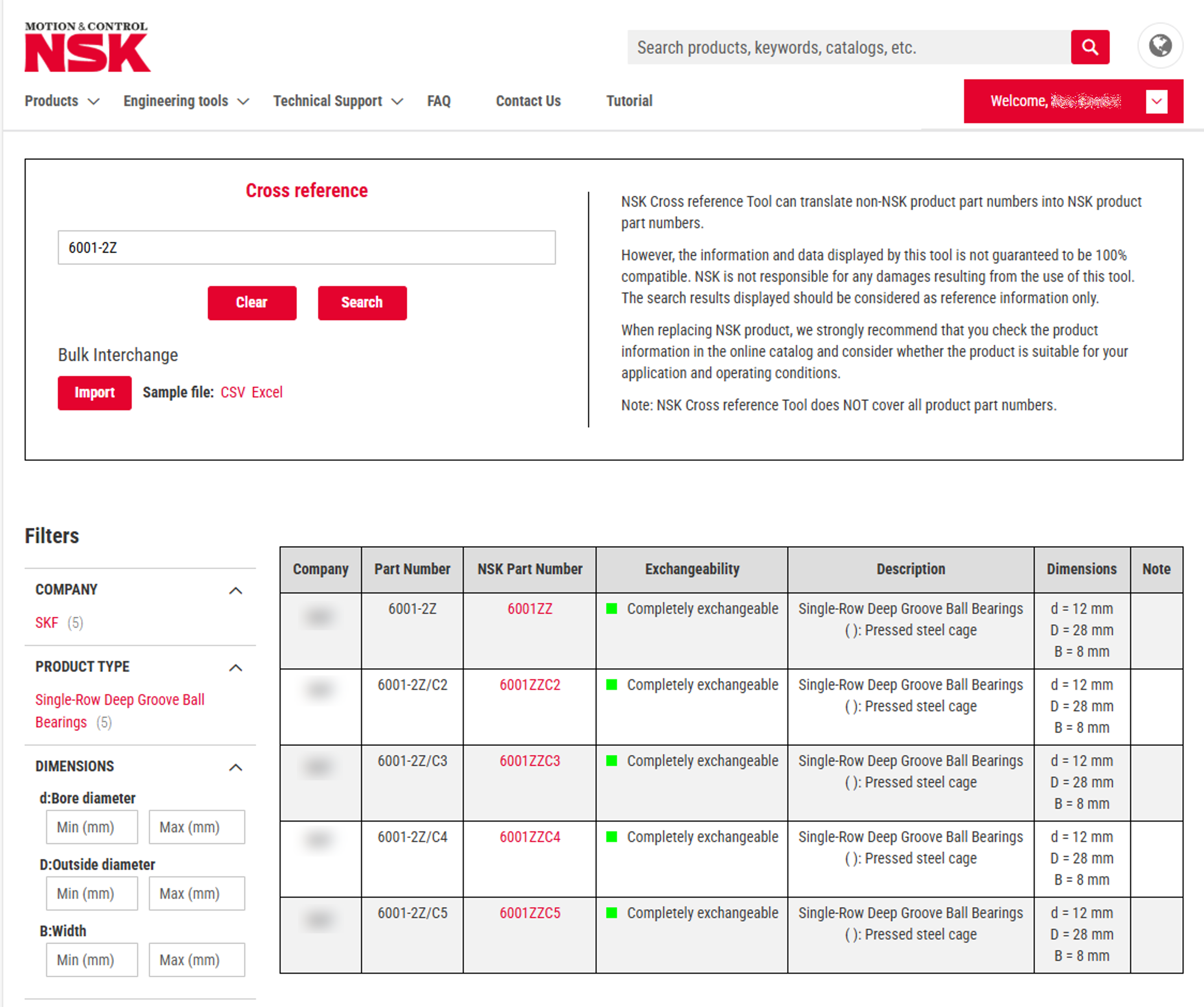
2. Checking Search Results
On the search results screen, the NSK part number corresponding to the entered competitor's part number is displayed. Clicking on the NSK part number will allow you to check the product details.
How to Use the Search Results
Product Detail Confirmation
- Click the NSK part number to go to the detail page
- Detailed confirmation of dimensions and specifications
- Download Drawing for Reference and CAD data
Evaluating Applicability
- Check product information in the online catalog
- Evaluate suitability for your application
- Confirm consistency with usage conditions
- Consult with technical support as needed
Tips for Using the Cross-Reference Tool
- Use as a reference: The search results are for reference, so please be sure to fully check the product specifications for final selection.
- Compare multiple candidates: If multiple NSK products are displayed as candidates, select the one that is most suitable for your application.
- Utilize technical support: If you have any questions or require detailed technical consideration, please consult with technical support.
E. Technical Documents & Downloads
CAD Data Download
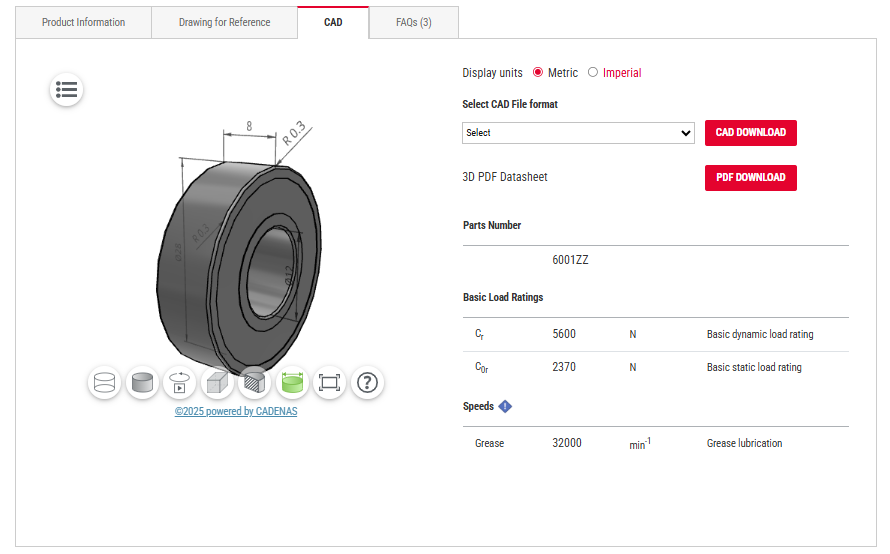
CAD Download Screen
This is the CAD download screen, which can be accessed from the "Drawing for Reference" tab on the product details page. You can select and download CAD formats here.
Supported CAD Formats
2D CAD
- DWG
- DXF
3D CAD
- STEP
- IGES
- Parasolid
- SolidWorks
- Inventor
- NX
Dedicated Formats
- AutoCAD
- Fusion 360
Download Steps
- Access the product details page
- Select the "CAD Data" tab
- Select the desired format
- Click the download button
- Save the file
Drawing for Reference: For Members
Usage Conditions
To use the Drawing for Reference feature, you must be a registered member.
If you are not yet registered, please create an account before use.
※If the video does not close, press the ESC key on your keyboard.
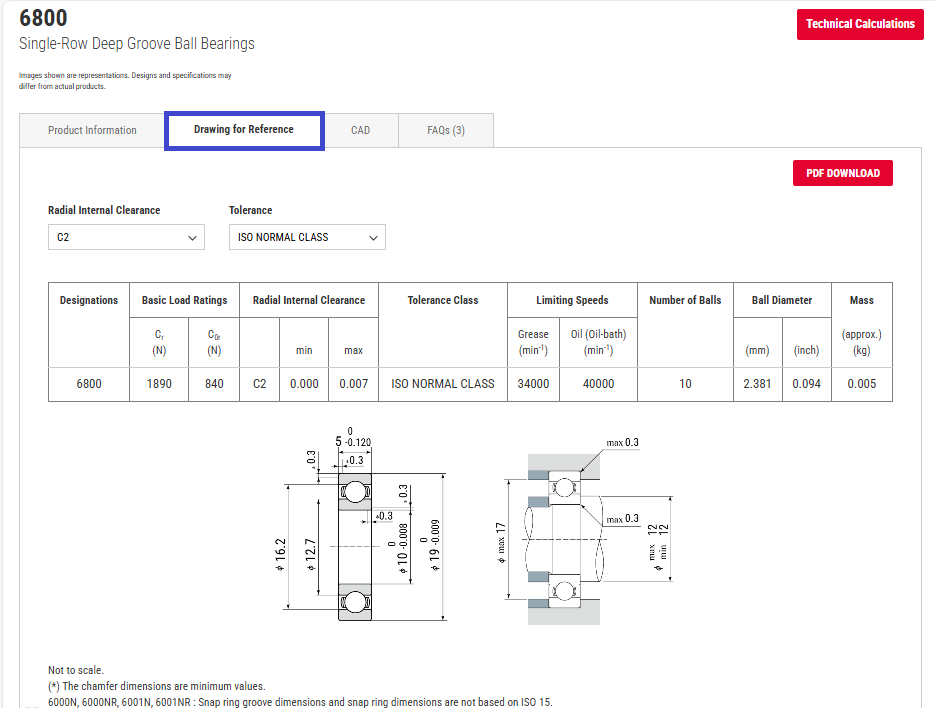
Drawing for Reference Download Screen
This feature allows you to check clearance and tolerance values from the product details page.
※Click the drawing to enlarge it.
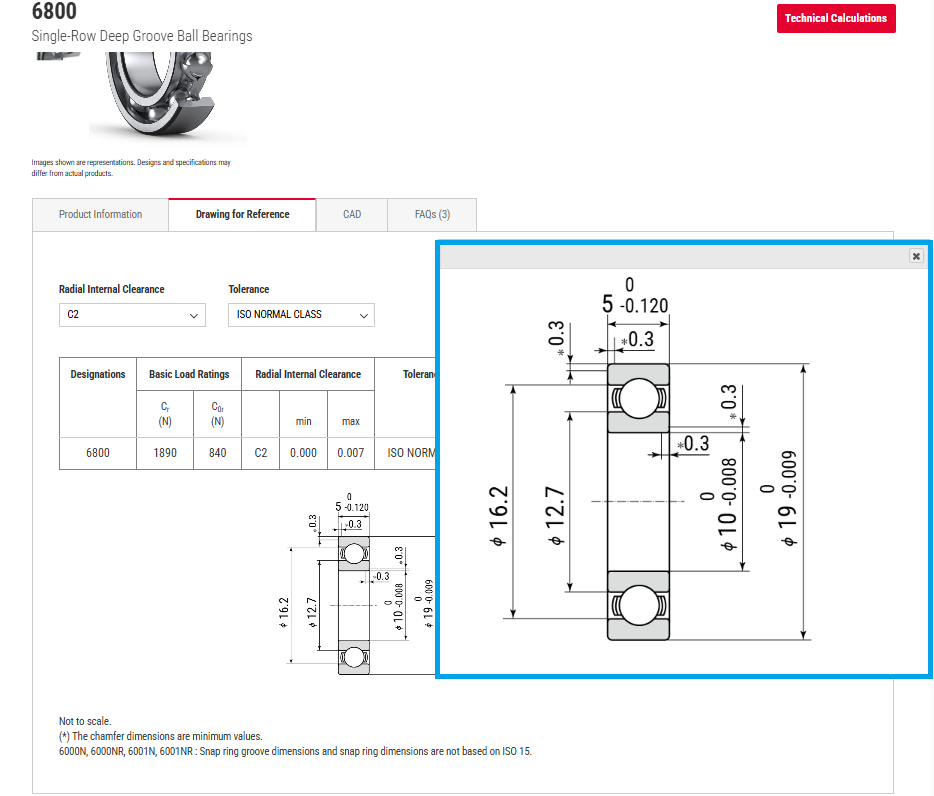
Steps to Use Drawing for Reference
- Access the product details page
- Select the "Drawing for Reference" tab
- Select clearance or precision
- Click the download button
- Save the file
How to Utilize Drawing for Reference
- Design evaluation: Confirm basic dimensions and tolerances
- Mounting design: Use as a reference for shaft and housing design
- Drawing creation: Use as reference information for product drawings
- Quality control: Use as a standard for inspection and measurement
Notes on Using Drawing for Reference
- Drawing for Reference are for design reference only; please check the actual product specifications in the product specification sheet.
- Please check for regular updates to ensure you are using the latest version of the Drawing for Reference.
- For custom-made products, please consult with technical support individually.
F. User Account Management
Account Registration & Login
※If the video does not close, press the ESC key on your keyboard.
Login & New Registration Screen
This screen appears when you click the "Login / New Registration" button at the top right of the top page. You must log in to use features like the cross-reference tool and Drawing for Reference downloads.
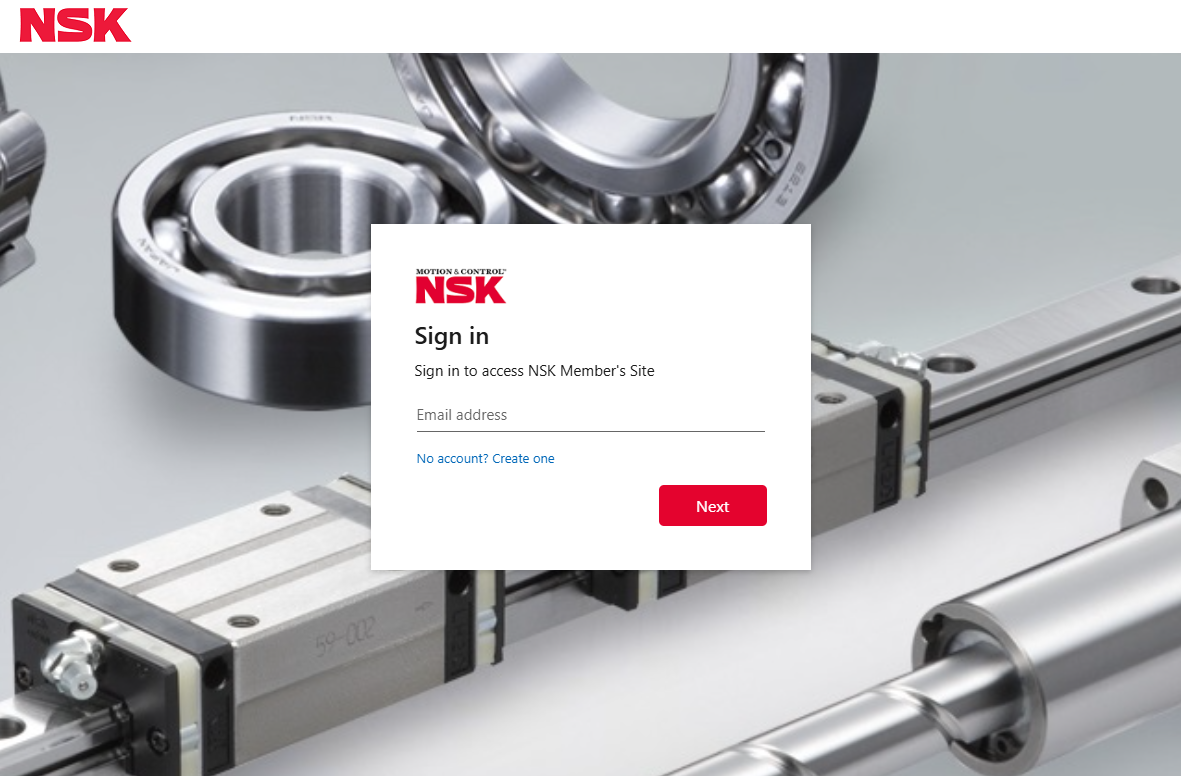
How to Log In as an Existing User
1. Enter your email address on the login screen
If you have already registered as a user, enter your email address and click the "Next" button.
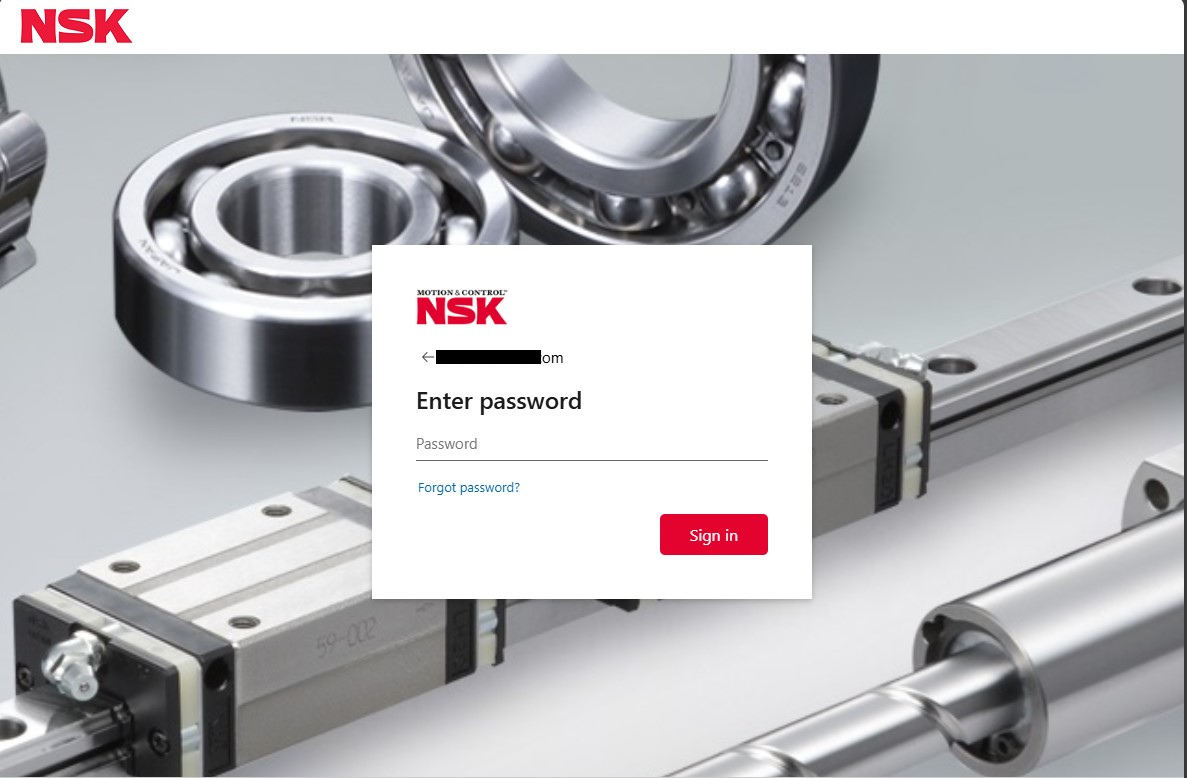
2. Enter your password
On the screen that appears after entering your email address, enter your password and click the "Sign in" button.
New User Registration Process
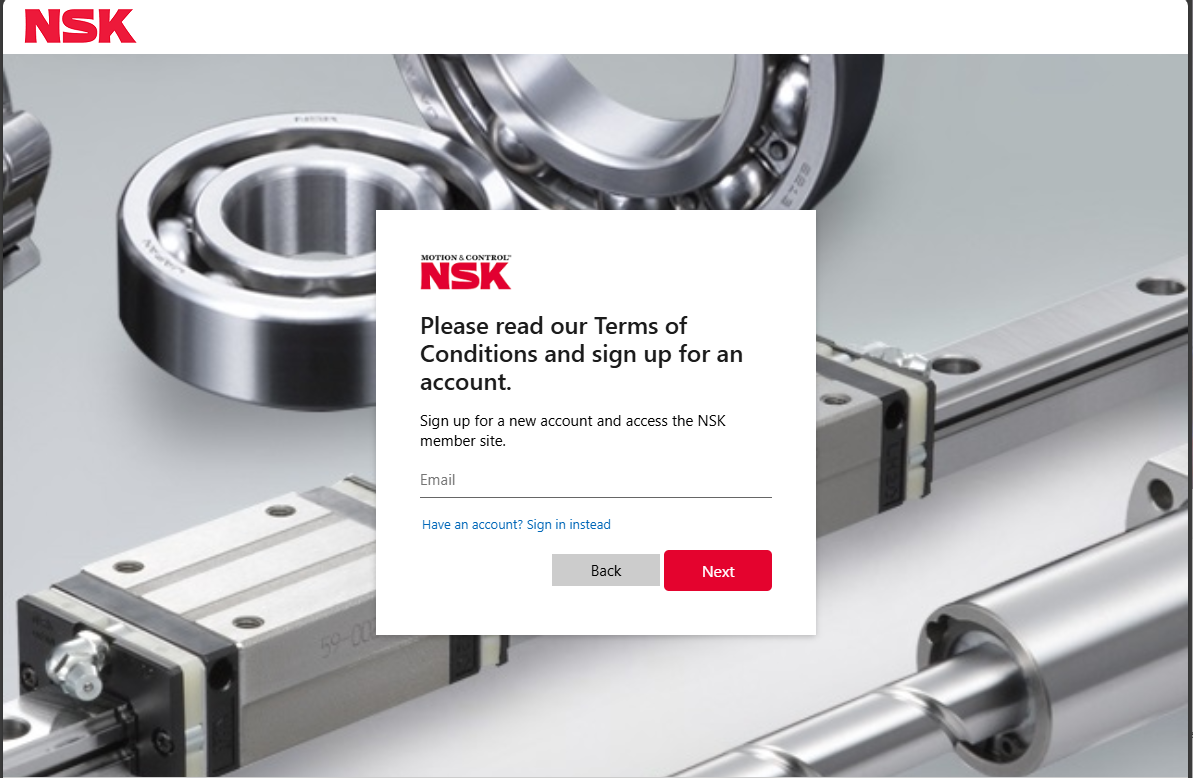
1. Start New Registration
On the login screen, select "Click here if you don't have an account" and enter your email address.
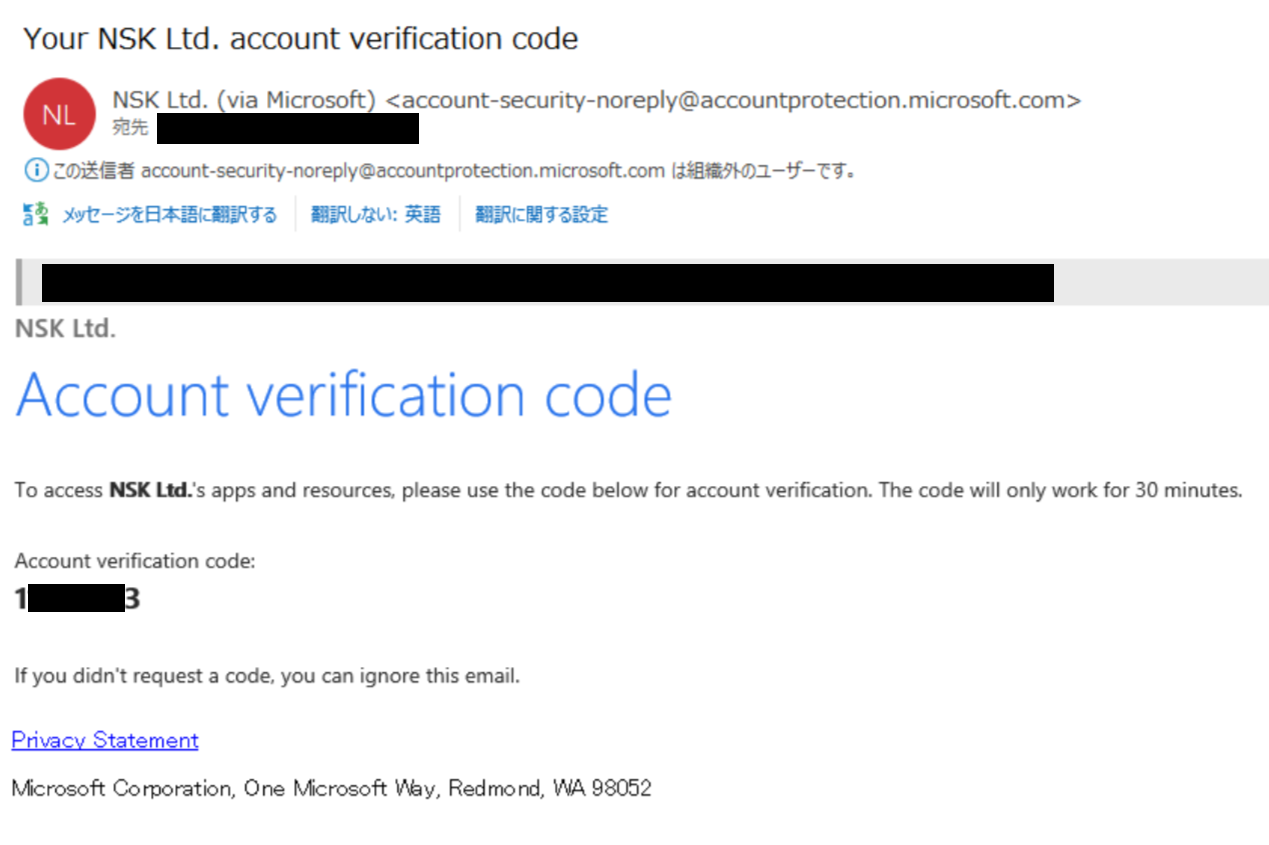
2. Receive a One-Time Password
A one-time password will be sent to the email address you entered.
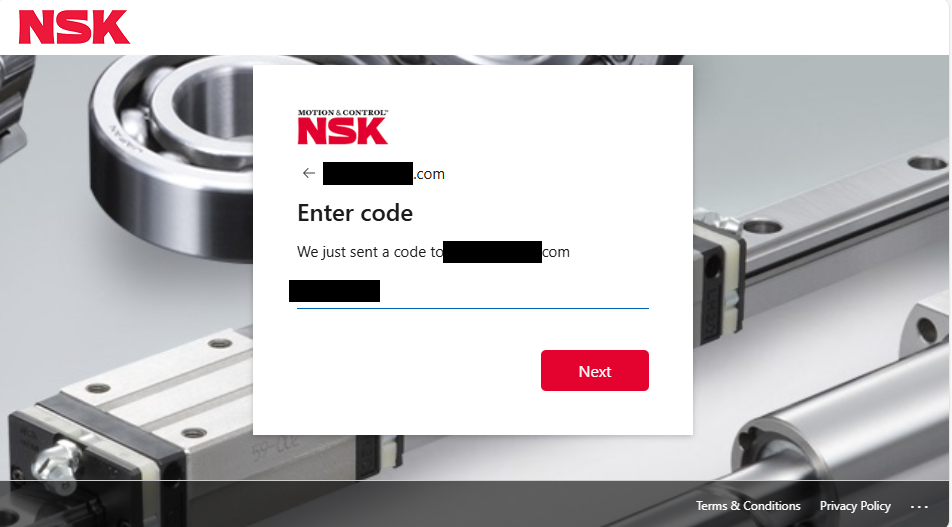
3. Enter the One-Time Password
Enter the received one-time password on the input screen.
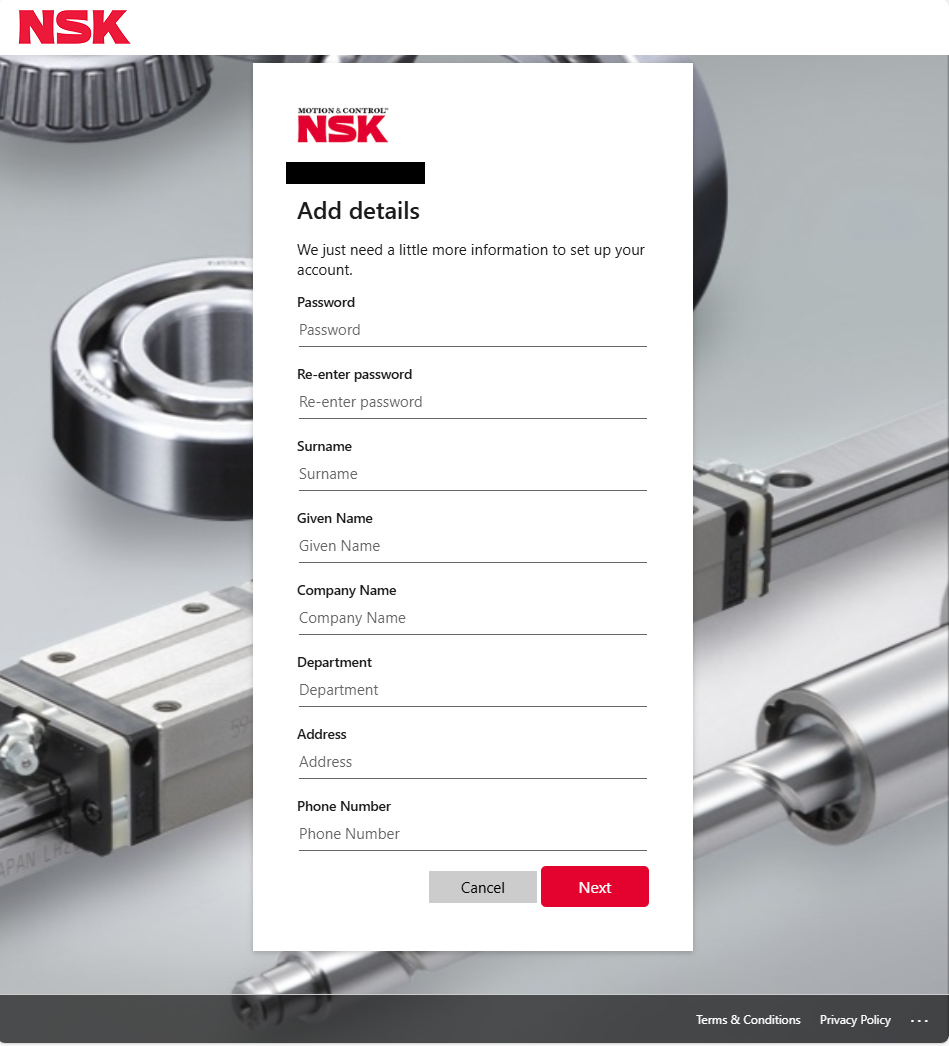
4. Enter Personal Information and Member Attributes
Enter your member attributes. When setting your password, please follow the rules below.
Password Rules
- Must be 8 characters or more
- Must contain at least 3 of the following: lowercase letters, uppercase letters, numbers, or symbols
- Cannot be a weak or commonly used password
Maintaining Login Status
- "Keep me logged in" checkbox
- Automatic logout time setting
- Security settings
Password Management
Forgot Password
- On the login screen, click "Forgot your password?"
- Enter your email address
- Receive a reset email
- Set a new password
My Page Functions
Calculation History
Information Saved
- Input conditions
- Calculation results
- Calculation date and time
How to Use
- Reuse past calculation conditions
- Compare calculation results
G. Troubleshooting & FAQ
Frequently Asked Questions
FAQs on Product Selection
FAQs on Technical Calculations
FAQs on Downloads
FAQs on Login & Accounts
Error Troubleshooting
Troubleshooting Download Errors
Error: "File not found"
- Solution: Reload the page, check your login status
- Reference: Clear your browser's cache
Error: "Download does not start"
- Solution: Disable pop-up blockers, try a different browser
- Reference: Check download settings
Troubleshooting Login Errors
Error: "Incorrect email address or password"
- Solution: Check your input, check if Caps Lock is on
- Reference: Use the password reset feature
Error: "Account is locked"
- Solution: Try again later, contact technical support
- Reference: Check the security policy
Contact Us
If you have any questions regarding this user manual or require technical support for this site,
please feel free to contact us using the inquiry form here.
© 2025 NSK Ltd. All rights reserved.